
For smaller businesses
Keep essential visitor records in a separate local system.
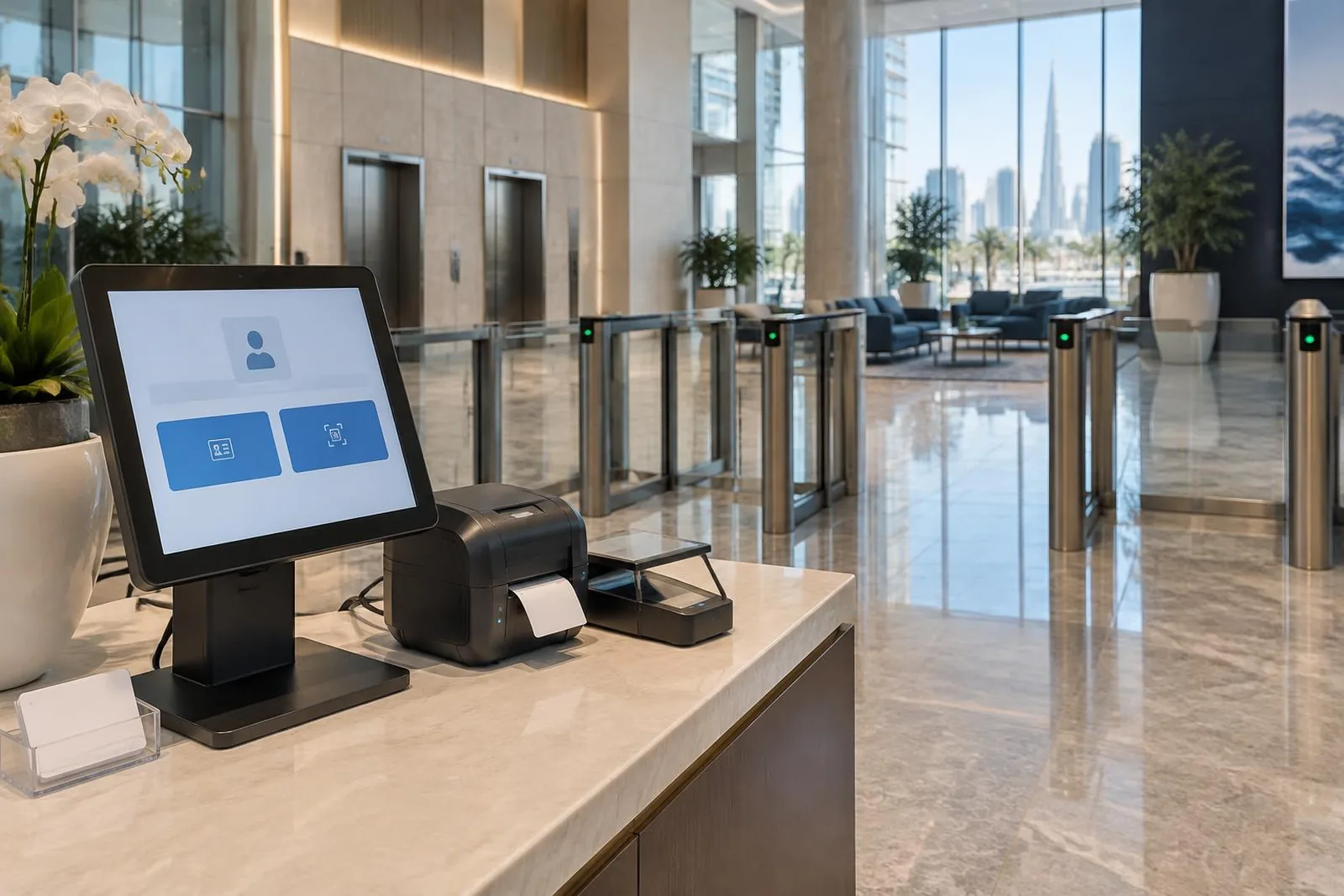
SIMPLE VISITOR MANAGEMENT
Replace a paper visitor book with digital records. VISIPASS is a separate visitor system installed at your premises for small and medium businesses.
Talk about your projectWHAT IT DOES
Visitor registration, ID capture, pass printing, visit tracking, and simple reports.
INSTALLATION STEPS
Install the visitor system at your premises.
Record guest details and capture ID or passport information.
Create a badge or pass for each visitor.
Check visitor activity and simple reports.
HOW IT HELPS
Keep essential visitor records in a separate local system.
Record visits digitally instead of using a handwritten book.
Keep registration, pass printing, tracking, and reports in one local system.
ABOUT THIS PRODUCT
VISIPASS is a separate visitor system for small and medium businesses. It records visitor details, captures ID or passport information, prints passes, tracks visits, and provides simple reports.
Use VISIPASS to replace a paper visitor book and keep reception records in one place. The system is installed at your site rather than offered as a shared system across many sites.
If you need visitor approvals, access control or number plate connections, or shared records across several sites, ask about VISITRAK. We help you compare the two products based on your needs.
PARTS OF THE SYSTEM
Record visitor details digitally instead of writing them in a book.
Capture visitor ID or passport information as part of check-in.
Print a visitor badge or pass at reception.
Check visit activity and create simple reports.
WHERE YOU CAN USE IT
These are examples. We check your site before agreeing the final equipment and work.
A separate visitor system for businesses that need basic registration and reports.
Record visitor details, check ID, and print passes in one place.
Keep clear digital visit records instead of handwritten entries.
Discuss the local system and reception equipment needed for setup.
CONNECTIONS TO OTHER SYSTEMS
The brochure describes VISIPASS as a standalone system installed at your site.
Check the equipment needed for ID capture and badge or pass printing.
For access control, number plate connections, and records across several sites, ask about VISITRAK.
We check equipment models, software versions, and the tasks you need before confirming a connection.
Ask about your equipmentBEFORE INSTALLATION
Agree who will use the system, what they need to do, and how it will be maintained.
Mark entrances, shared areas, rooms with limited access, and site boundaries. Check lighting and where each device should go.
Agree who can issue passes, approve visitors, view cameras, check patrols, and receive alerts.
Agree what information to keep, who can see it, and how long to keep it. Follow the privacy rules for your organization.
Test the tasks your team will use: door entry, camera playback, alarm alerts, visitor check-in, and patrol scans. Show the responsible staff how to use them.
Agree how to report faults and what support covers. Plan what to do if power, internet, or part of the system stops working.
Include equipment models, software versions, and future sites in the plan. Check connections rather than assuming every product works with every brand.
YOUR PROJECT DETAILS
Select the points you want to discuss with our team.
These are points to discuss, not a final plan or a site check.
Talk about these needsCOMMON QUESTIONS
VISIPASS is a separate system installed at your premises for small and medium businesses. VISITRAK adds visitor approvals, access and number plate connections, and shared records across sites.
Yes. It supports badge or pass printing, visitor registration, and ID or passport capture.
Yes. The brochure describes a standalone system installed at your premises.
No. VISIPASS is a separate system for small and medium businesses. VISITRAK supports visitor approvals, system connections, and shared records across several sites.
The brochure describes a standalone installation at your site. Our team will explain the local setup needed.
Yes. Tell us how many sites you have, how guests check in, which passes you print, and which other systems must connect.
Explore access control, CCTV, intruder alarms, visitors, and patrols.
CONTACT OUR TEAM
Tell us about your site. We’ll help you choose the right products.